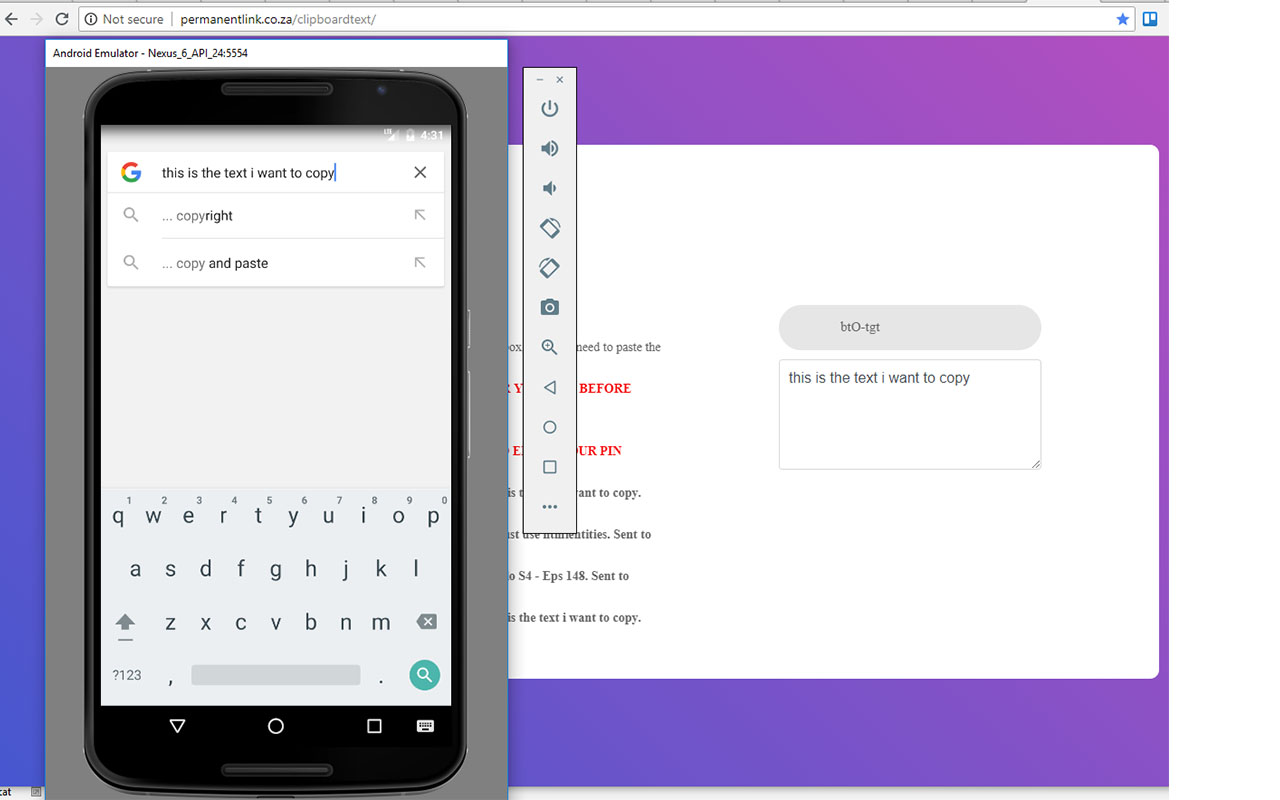
How it works
Before you begin, you need to download and install Xposed Store on your phone. Using the app you need to create a pin.
Clipboard text works in 3 simple steps:
- Open the app and go to "Push text from PC"
- Allow the app to get the email signed into the device. This will be your pin.
- On your browser, navigate to http://permanentlink.co.za/clipboardtext/ or Try Chrome extension | Try Firefox extension
- - You should not type the text into the box, you need to paste the text either using Ctrl + V or right click the paste from the mouse. If you type in the text you will notice that nothing happens.
- The text is immediately available on your device's clipboard, simply click paste to paste the text from clipboard
Why is a pin required?
A pin is required to identify your device. However, this pin is not stored anywhere but on your device. This means that if you uninstall the app, you will need to create a new pin. This pin is not shared between devices regardless of the user. The pin is unique to the device.
What happens to the text I copied?
The text you copy is sent to your device immediately after pasting. At this point the text is only available on your device's clipboard. It is not stored anywhere. This way, you are the only person who sees the text. The text will remain available on the clipboard as primary text until you copy new text to the clipboard.
I can not see the text I copied in the clipboard
In this case your pin is incorrect, sometimes I and l appear the same, the first one is uppercase i and the second is lowercase L. These are some of the things you need to look for. If you tried everything and you still can not see your text, generate a new pin by clearing the app data and starting the app again.
How many characters in a text can I copy?
You can copy to a maximum of 1 million characters. However, your clipboard might not store text of that length.
Is my PC connected to my device or vice versa?
Your phone is not connected to your PC in anyway and vice versa. So this means you can send text to your phone from any PC via the web url.
Can I send text to a friend?
Ideally yes, you will only need their pin. You must insure that the pin used is their current pin because it is very likely that they might've generated a new pin. The text will become immediately availbale on their clipboard.
Conclusion
That's it. It is really a straight forward concept.